One Sales Page, Many Buyers: Send Each to the Offer That Fits
When different people visit the same sales page, one message can't fit them all. How to split them by asking, and send each one to the offer made for them.
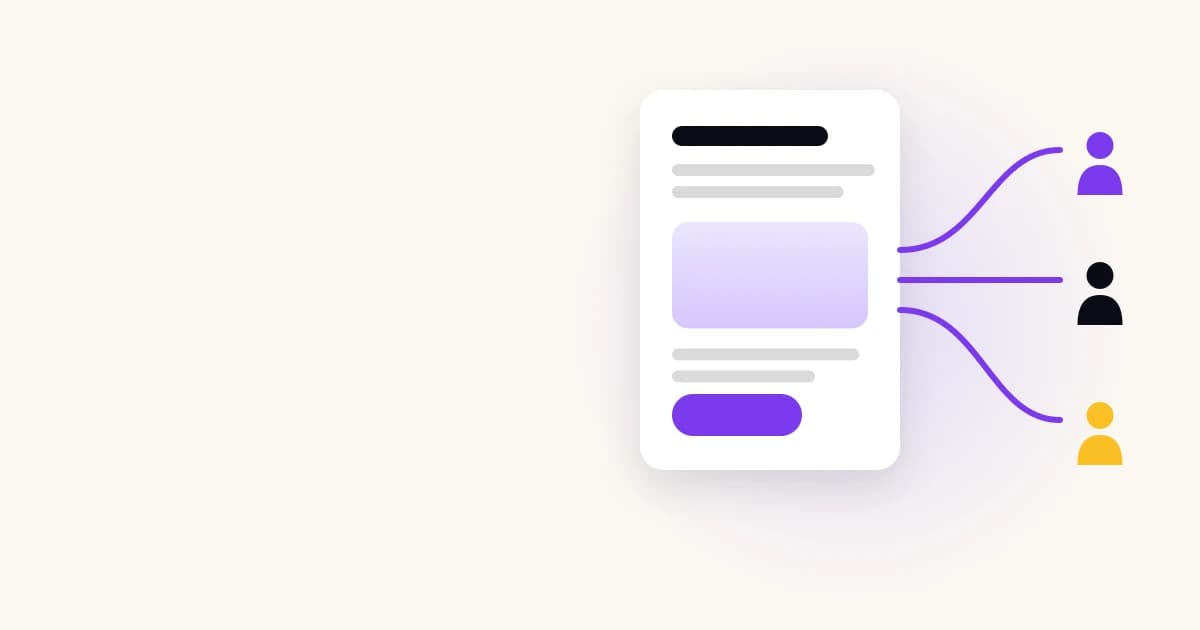
Most sales pages are written for one buyer, but visited by several. The beginner and the expert, the bargain hunter and the premium buyer all read the same words, and most of them don't see themselves in it. The fix is to ask who they are first, then send each one to the offer made for them. It's the core idea behind asking before you sell.
The problem: one page has to pick one message
A sales page is a speech to a crowd. It can only say one thing at a time, so it picks a message, usually aimed at the buyer the seller imagines most often. Everyone else has to translate.
Take three sellers:
- A course creator sells a beginner course, an advanced course and 1:1 coaching. The page leads with the beginner course, because that's the bestseller. Experienced visitors see "Start from zero" and decide it isn't for them, without scrolling down to the advanced course.
- A web design studio offers a template site, a custom site and ongoing care plans. The homepage talks about custom sites. A small shop owner with a $1,000 budget assumes it's too expensive and leaves.
- A skincare store sells routines for dry, oily and sensitive skin. The homepage shows the bestsellers. A shopper with sensitive skin sees products for oily skin and doubts the store is for her.
In each case the right offer exists. The visitor just never reaches it, because the page spoke to someone else.
When a page speaks to one buyer, the others have to find their own way, and most don't.
Why "write for everyone" doesn't work
The usual reaction is to make the page broader: "Whether you're a beginner or a pro…". It feels inclusive. In practice it makes the page vague for everyone. The beginner wants to hear that it starts from zero; the expert wants to hear what's new to them. A sentence that tries to say both says neither.
The other reaction is to list every offer side by side: three columns, twelve features each. That moves the decision onto the visitor. A visitor who doesn't know which plan they need now has a comparison table to study. Some do it. Many leave and promise themselves they'll come back.
Neither is a bad page. They're the limits of any page. We go through the five reasons visitors leave in why your sales page isn't converting; three of them ("Is this for me?", "Which one do I pick?" and "I'm not ready yet") have a different answer for each visitor.
A page that tries to speak to everyone ends up speaking clearly to no one.
The fix: ask, then send
A good salesperson doesn't start with the brochure. They ask what you're looking for, then show you the one thing that fits. Online, that means putting a few questions between the click and the offer.
The visitor answers two to six questions. The answers decide which result they see. Each result is written for that kind of buyer and ends on one button: the offer that fits them.
For the three sellers above:
- The course creator asks how much experience the visitor has, what they want to achieve and how much help they want. Beginners land on the beginner course, experienced visitors on the advanced one, and those who want hands-on help on coaching.
- The design studio asks what the business needs, how soon and with what budget. Small shops land on the template site, growing businesses on custom work, and anyone who already has a site on a care plan.
- The skincare store asks about skin type and main concern. Each visitor lands on the routine for their skin.
The visitor never sees the offers that don't fit them, so there's nothing to compare and nothing to doubt.
Asking first turns one speech to a crowd into a short conversation with each visitor.
How to set it up
1. List the buyers, not the products
Start with who visits, not what you sell. Write down the two to five kinds of buyer you actually get. For each one, note what they already know, what worries them and which offer suits them best.
If two kinds of buyer end up on the same offer with the same worry, merge them. The number of results should match the number of real differences, not the number of products.
2. Find the questions that tell them apart
For each pair of buyers, ask: what would I ask to know which one this is? Experience level, budget, goal, urgency and situation ("Do you already have a website?") are the usual suspects.
Keep only the questions that change the result. A question that every buyer answers the same way is a question that costs you visitors for nothing.
3. Write each result for one buyer
A result isn't a product card. It's a short message to one person: you're in this situation, here's what fits, here's why. Name their worry and answer it. Then one button to the offer.
4. Keep the offers where they are
The questions go in front of your existing pages, not instead of them. Each result's button goes to the checkout, booking page or product page you already have. Nothing about how you sell has to change.
5. Measure clicks to each offer
The number to watch is how many visitors reach an offer, out of everyone who started. Then sales from those clicks. Compare them with your page on its own over the same period.
Start from your buyers, ask only what tells them apart, and send each one to the page that already sells.
When it doesn't help
Asking first isn't free: every question is a chance for the visitor to leave. It's not worth it when:
- Everyone buys the same thing for the same reason. If you sell one product to one kind of buyer, a clear page beats a set of questions.
- The page itself is unclear. If visitors can't tell what you sell, sending them to the right offer only sends them to a page that still confuses them. Fix the page first.
- The questions are really a survey. Questions that don't lead anywhere ("How did you hear about us?") belong somewhere else.
Ask only when different visitors need different answers.
Doing it without building it by hand
You can build this yourself with a form tool and some logic, or have someone build it. Snacked does it from your URL: it reads your pages, finds your offers and where each one is bought or booked, and writes the questions and results. Each result ends on a button to one of your offers, up to 8 per funnel. It counts clicks to each offer on every plan, so you can see which buyers you're reaching. It doesn't bring traffic and doesn't take payments: the visitor buys or books where they already do.
Whatever you build it with, the test is the same: does each kind of buyer reach their offer more often than before?
Conclusion
To recap:
- A sales page can only say one thing at a time, so most visitors read a message meant for someone else.
- Asking two to six questions first lets you send each kind of buyer to the offer made for them, with a result that answers their own doubt.
- Build it from your buyers, not your products, and measure clicks and sales against the page on its own.
The full case for asking first, with the evidence and its limits, is in ask before you sell. To see whether your page loses the visitors it wasn't written for, run it through the free sales page grader.
Keep reading
A Simple Sales Funnel: What Small Sellers Actually Need
You don't need a ten-page funnel machine. A simple sales funnel for small businesses: traffic, a few questions, the right offer, and email for the not-ready.
Quiz vs Live Chat for Sales: Which Helps Visitors Buy?
Live chat answers any question but needs someone, or a bot, to reply. A short question funnel works at any hour but can't improvise. When each wins, and why.
Personalized Landing Pages: What Works When You're Not Amazon
Three ways to personalize a landing page: by traffic source, known data, or asking. What each needs in data, tools and traffic, and which fits a small site.